1. Install and import the Hugging Face transformers first.
pip install transformers[sentencepiece]import transformers2. Import pipeline and test the classifier on a sample text.
from transformers import pipeline

classifier = pipeline("sentiment-analysis")
classifier(
    [
        "Today looks like a great day!",
        "I hate rainy days!",
    ]
)
Output will look like this where you can see the sentiment (positive or negative) and the accuracy score for each sentence.

The real life application of this may involve working with a larger text file with many sentences. How to perform sentiment analysis on each sentence on a large text file so you don’t have to manually type in or copy/paste each sentence into a list? See below.
3. Open the text file and preprocess the text to match the format required by the classifier. i.e. remove any unnecessary characters and put the sentences into a list.
filepath = "file path/sampletxt.txt"
with open(filepath) as f: #opening the file
    sentence = f.read().replace('\n','') #reading the file and removing         the newline character
sentences = list(map(str.strip, sentence.split('.'))) #splitting the sentences by the period sign
print(sentences)
Output will look like this.

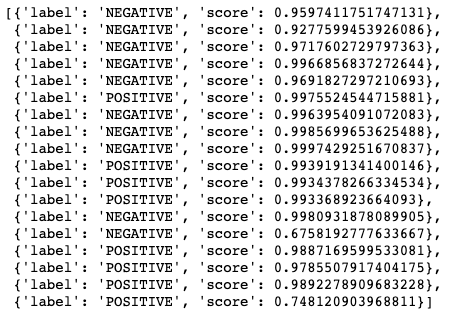
4. Feed the preprocessed text into the classifier to get the sentiment label and score for each sentence.
classifier(sentences)Output:
To learn more about Hugging Face NLP, click here.

 Let's learn some data science!